.webp)


.webp)


.webp)


.webp)


Welcome to ZUTTO
Free shipping for newsletter subscribers (some areas excluded)
- トップページ/
- ZUTTO Journal/
- 選び方・使い方/
- A comfortable com...

A comfortable computer setup starts with care, storage, and a few items to help you relax
Computers now come in all kinds of shapes, sizes, and designs. From desktops to portable laptops, and tablets that can be used in multiple ways, the number of convenient computer options has grown endlessly.
Many people carry their computers not only to the office but also on business trips, to school, and even in their private lives. This time, we'd like to introduce some helpful items for organizing and storing your computer accessories, as well as items to ease computer fatigue—things that come in handy around your PC, which for some has become an indispensable part of daily life.
Organizing your computer space
One of the most important points for using a computer for a long time is daily care and organization. The first step is keeping it ready to use the moment you open the screen.
If the display is dirty or the keyboard is covered in dust when you go to use it, the text can be hard to read and comfortable typing becomes difficult. Dust is also a major enemy of computers—when it accumulates near the machine, it can cause the computer to overheat, which may lead to internal damage. Above all, using something dirty just doesn't feel good, whether it's a computer or anything else. If you use a computer, it's important to recognize that regular care is an essential part of that.
Here are some handy items to have for caring for your computer.
・An ultra-fine fiber cloth
・A brush made with soft bristles
・A storage pouch with a wide opening
Ultra-fine fiber cloth

A cloth made from ultra-fine fibers can quickly wipe away dust, fingerprints, and even oily film without requiring much pressure. Because you don't need to press hard to remove grime, you can clean your computer without putting any strain on it.
It's an excellent tool that can be used not only for computers but also for televisions, DVD players, printers, glasses, glassware, and even metal accessories. Since the cloth itself can be washed with a neutral detergent and used again and again, having just one will serve you well for a long time.

The microfiber cloth from TOWNTALK is certified by Germany's U.B.A. (Umweltbundesamt), one of the world's strictest environmental protection agencies, giving it a quality that's kind to the earth as well. Its yellow-green packaging with gold accents, featuring a gentleman in a top hat, is so stylish you'd hardly guess it's a cleaning item.
A cleaning brush made with soft bristles

Since many computer keyboards have raised, uneven keys, dust often gets stuck in the gaps between them. That's where a brush made with thin, soft bristles comes in handy. Akada Brush Industry, based in Gifu Prefecture, has been making brushes since the early Showa era. Among their many brush creations is this Okiagari PC Brush, made with horsehair and shaped like an okiagari-koboshi (a roly-poly tumbling doll).

The soft horsehair fits snugly into the gaps between keys. A quick sweep is all it takes to clear away the dust that tends to build up there. Even when not in use, this all-purpose brush stands upright on its own thanks to a weight in the handle, so it won't tip over from a light touch. It also comes in a wide range of colors, making it a great match to pair with the microfiber cloth.
A storage pouch with a wide opening

In addition to handy cleaning items for your computer, another thing worth having is a storage pouch with a wide opening. While a computer alone may sometimes be all you need, using it for longer periods often calls for a power cord, charger, or external devices like a backup hard drive or USB accessories. It's best to gather all these small computer accessories together in a single storage pouch.

This pouch (cotton canvas) from JoBu has been made using hanpu (cotton canvas) in Kurashiki, Okayama Prefecture, for many years. Hanpu is a fabric with a distinctively rough texture and just the right stiffness and thickness—just touching it, you can tell it's truly "jobu," or sturdy.
The zipper on the pouch (cotton canvas) runs diagonally and opens all the way, so it can securely hold long cords and even larger batteries. Its size makes it easy to carry both at home and on the go, which is a welcome feature for computer users.
What to look for in a computer bag for carrying your PC
When choosing a storage bag to carry your computer, aren't there a few things you find yourself worrying about?
・Whether the computer will actually fit in the bag in the first place.
・Whether the bag will become too heavy once the computer is inside.
・Whether you can carry the computer with peace of mind.
・What happens if the bag gets caught in the rain.
・Wanting the design to still look good, even though it's a bag for carrying a computer.
And so on... There are actually quite a lot of conditions people look for in a bag meant to carry a computer. Naturally, we'd all like to carry our things smartly in a bag that checks all these boxes.
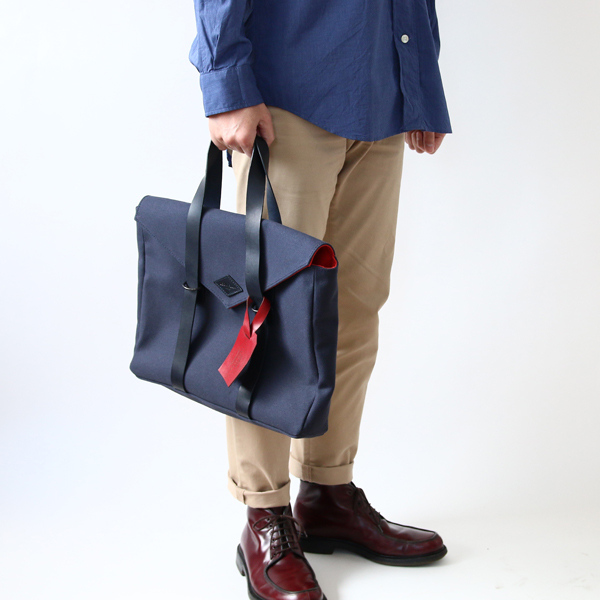
Generally speaking, laptops with a screen size of 14 inches or smaller are easy to carry around outside the home. *Sizes vary depending on the type of computer, so please use this only as a general guide.
The Briefcase 17 from LEON FLAM is designed to comfortably fit a computer of this size. With its red and navy color combinations, it's a refined bag with a distinctly French sensibility.
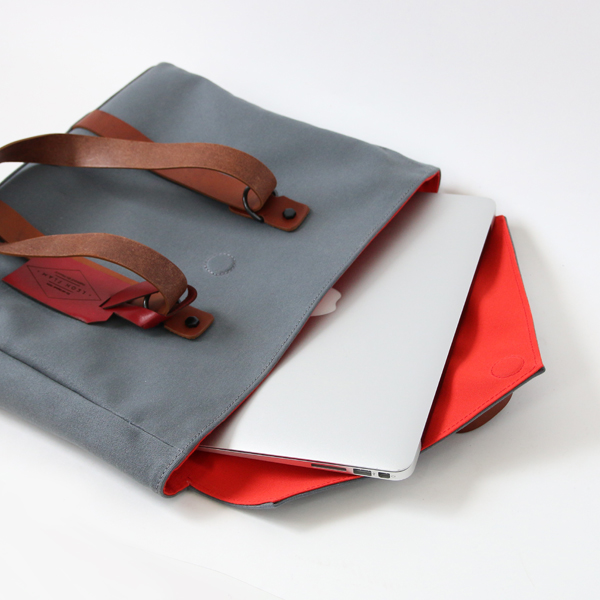
With a depth of about 6.5cm, it's not overly bulky, making it a great choice for those who want to keep their belongings as compact as possible. The handles are made of leather, sturdy enough to bear the weight of a computer, while the canvas body keeps the overall bag from feeling too heavy.
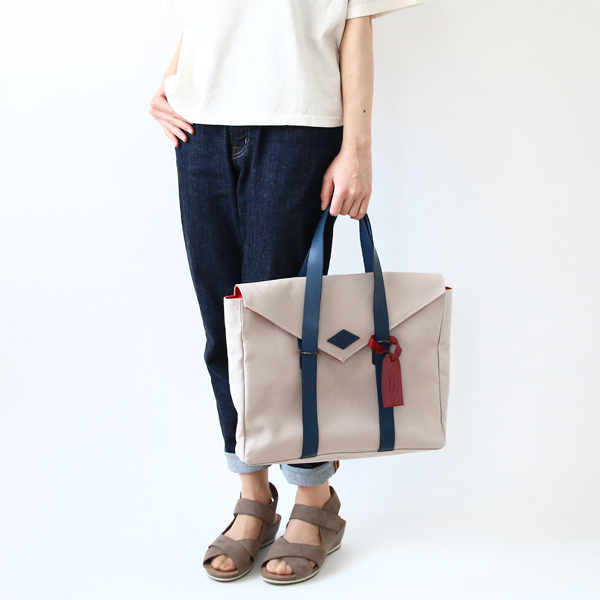
A briefcase that's easy to carry for men, of course, but also for women, adding a stylish accent just by holding it — the Briefcase 17. Made with an original design pattern, all fabric and fittings are made in France and Portugal. You can enjoy the refined design of LEON FLAM, a brand built on the belief of avoiding materials that burden the environment.

If you need a bag that protects your laptop from outside impact, we recommend one with a dedicated laptop pocket. The Tote from QWSTION can be used three ways — as a backpack, a hand-carried bag, or a shoulder bag. It's sized for women to carry easily, and it comes with a leather pad so your shoulder won't hurt when you wear it over the shoulder.

Open it up and you'll find a cushioned pocket for your laptop. This pocket is designed to sit against your back when worn as a backpack, so even though it has a depth of 10cm, the laptop won't shift around inside the bag — meaning no impact reaches the laptop when you set the bag down or bump into someone.

For those who want to carry their laptop without worry even on rainy days, a bag with water-repellent properties is the way to go.
The Back Pack Mini from RAINS is a backpack entirely coated with water-repellent polyurethane resin. The deep flap has a magnet closure, making it hard for rain and wind to get in. This compact backpack, which leaves both hands free, is perfect for moving around while holding an umbrella.

As for what's inside, this bag also has a dedicated laptop pocket on the back-facing side. The pocket has rubber lining so the laptop doesn't shift around inside the bag. On the outer back side there's a waterproof zipper pocket, so you can take things in and out without opening the main flap.
For Easing Computer Fatigue
When you're using a computer, do you ever suddenly notice your eyes feel tired, or your shoulders and back have grown stiff? Staying in the same position for long stretches while working on a computer inevitably leads to physical fatigue. If you want to use your computer more comfortably, try items that are gentle on your body too.

Have you heard of blue light? Blue light is a type of light emitted by LED backlights, commonly used not only in computers but also in today's TVs and smartphone screens.
Blue light, which reaches all the way to the retina of the eye, is said to be a factor behind the glare, eye strain, and headaches that come from staring at these screens for long periods. To help reduce the effects of blue light, we recommend screen glasses that you can wear while looking at computer and other display screens.
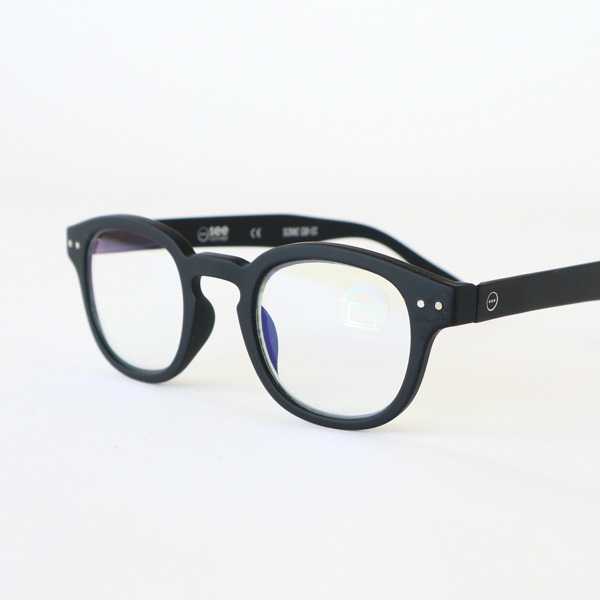
The screen glasses from IZIPIZI are computer glasses that cut 40% of the blue light emitted from display screens. With a light and durable polycarbonate frame, they fit gently on the nose. Screen glasses are available not only without any lens power, but also in reading-glass strengths of +1.5, +2.5, and +3, so please choose according to your own eyesight.
▼Guide to reading-glass strength ※Since lens strength varies by individual, please use this only as a rough guide.
+1.5: ages 45–50
+2.5: ages 55–60
+3: ages 60–65
▼Reading + screen glasses can be found here (other color variations are also available)
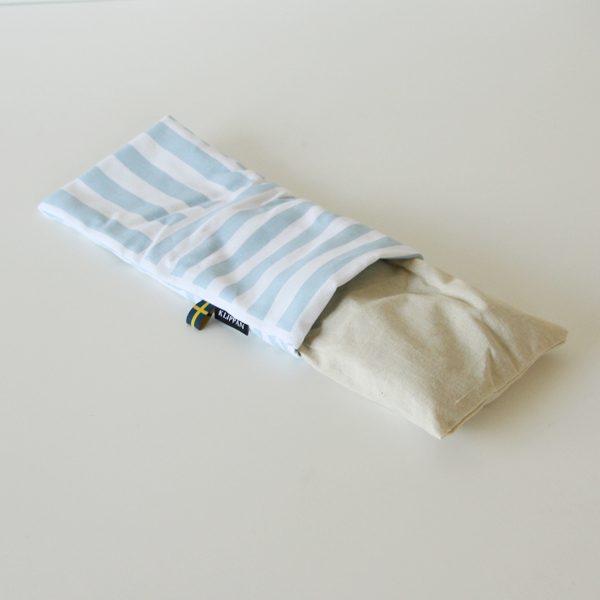
Using a computer can tire out not only your eyes, but sometimes your neck, shoulders, or lower back as well. One approach is to stand up now and then while working on your computer, take a short walk, or stretch your body. There's also the method of warming and loosening your muscles. The wheat eye pillow from KLIPPAN is an all-purpose pillow that can be warmed in the microwave.
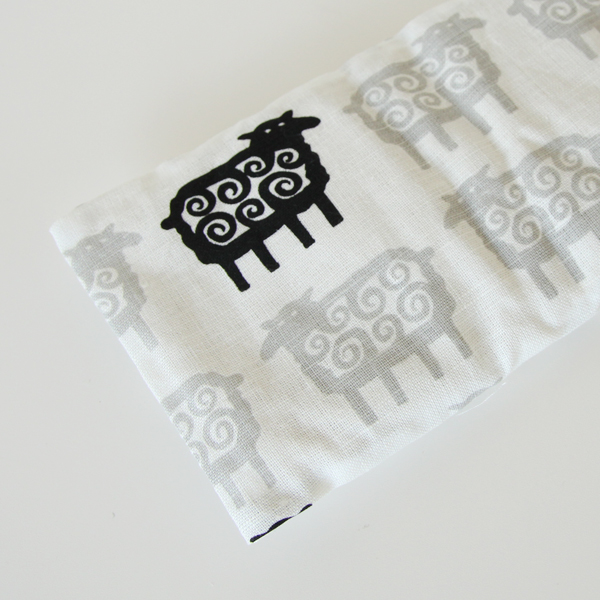
Inside the cloth pouch is an inner bag filled with lavender and wheat, so simply take out the inner bag, warm it in the microwave, and you'll have a warm, cozy pillow ready to go. Place it over your eyes, or rest it against your shoulders or lower back. The scent of lavender also enhances its calming effect.
The design of the pouch is full of the freshness and charm that only KLIPPAN, a textile maker with 130 years of history, can offer.
▽For Computer Care
For a microfiber cloth, choose TOWN TALK

Sou, a self-standing computer brush made in Japan

A wide opening and sturdy build. jobu

▽Convenient Laptop Bags for Carrying Around
Recommended for men too. LEON FLAM

Worry-free even on rainy days. RAINS

Large capacity for everyday use. QWSTION

▽For Relieving Computer Fatigue
Stylish reading and screen glasses. IZIPIZI

An eye pillow for a moment of relaxation. KLIPPAN

GUIDE »
CATEGORIES »
- + Gifts by recipient
- + Gifts by scene
- + Clothing
- + Bags / Backpacks
- + Wallets / Card cases
- + Jewelry
- + Shoes
- + Rainy day outfits
- + Kitchen
- + Home
- + Babies / Kids
- + Japanese products
Earn Miles


Payment & Security